

Display is a little misaligned. Quality control could be better. Otherwise it works fine.
MD600 20Gbps Magnetic Portable SSD with Password Protection and Smart Display


Overall rating: 4.9 / 5 from 245 reviews.
Display is a little misaligned. Quality control could be better. Otherwise it works fine.
MD600 20Gbps Magnetic Portable SSD with Password Protection and Smart Display

Hi there. The delivery was really fast from European stock. The only negative thing was the measured speed compared to the mentioned 3500 Mb/ 3000Mb speeds. Br. Reima

Best SSD :)
MD600 20Gbps Magnetic Portable SSD with Password Protection and Smart Display

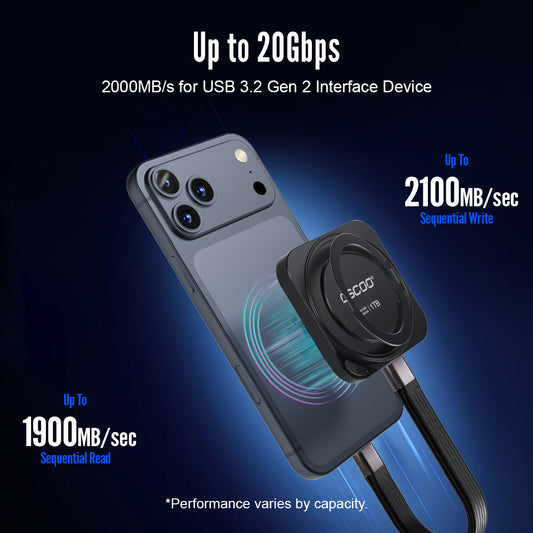
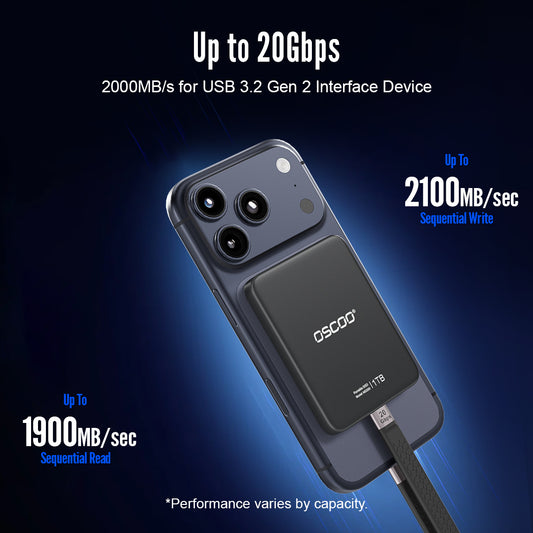
Speeds are exactly what I hoped for. Ran a quick CrystalDiskMark test on mine and got around 2,055 MB/s read and 1,856 MB/s write. Really happy to see the actual performance matching — and even slightly exceeding — the advertised speeds. File transfers feel extremely fast in real use too. Always nice when the benchmark speaks for itself. 5 stars from me.
MD600 20Gbps Magnetic Portable SSD with Password Protection and Smart Display

Klein, aber oho! I was pleasantly surprised to see that the display can be used in German. It makes the built-in screen much more useful for me, since I can quickly check the capacity, temperature and transfer status without having to figure out unfamiliar menus. The screen is clear and easy to read, and having all this information directly on the SSD is something I haven’t seen on most portable drives. A small detail, but makes it feel much more polished and user-friendly.
MD600 20Gbps Magnetic Portable SSD with Password Protection and Smart Display

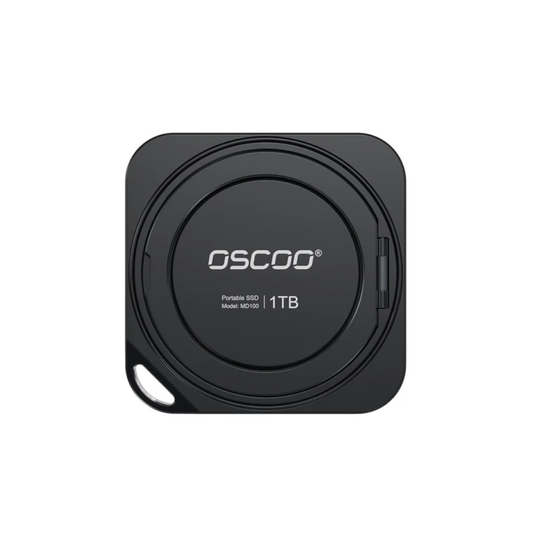
I really like that they include a magnetic ring with the SSD. My phone doesn’t have built-in magnetic attachment, so this makes it much easier to use the drive the way it was designed. Really thoughtful design and a useful accessory to include.
MD600 20Gbps Magnetic Portable SSD with Password Protection and Smart Display

Really nice first impression. The SSD came well packaged and includes the short USB-C cable, magnetic ring and adapter, so I didn’t need to buy anything extra to start using it. The drive itself feels solid and compact, and I like that they included the magnetic ring for phones that don’t already support magnetic attachment. Setup was simple and everything worked right out of the box. Very complete package for a portable SSD. Happy with the purchase.
MD600 20Gbps Magnetic Portable SSD with Password Protection and Smart Display

I mainly got this to use with my phone and it’s been great. The magnetic attachment is surprisingly strong and keeps the SSD right on the back instead of having another drive hanging around from a cable. The short USB-C cable makes the whole setup really compact, and my old Redmi recognized it without any issues. I can move photos and videos directly to the drive and free up space on my phone pretty quickly. The screen is a nice bonus too. Very convenient little SSD and easy to carry everywhere. Definitely 5 stars.
MD600 20Gbps Magnetic Portable SSD with Password Protection and Smart Display

Works perfectly with my Android phone. I plugged it in and the phone recognized the drive right away. The built-in screen is actually really useful — I can check the storage, temperature and transfer status without opening anything on my phone. I also really like the password protection. It’s easy to unlock directly from the SSD screen and gives me some extra peace of mind when carrying personal files around. Compact, fast, and much more functional than a regular portable SSD. Definitely a 5-star product for me.
MD600 20Gbps Magnetic Portable SSD with Password Protection and Smart Display

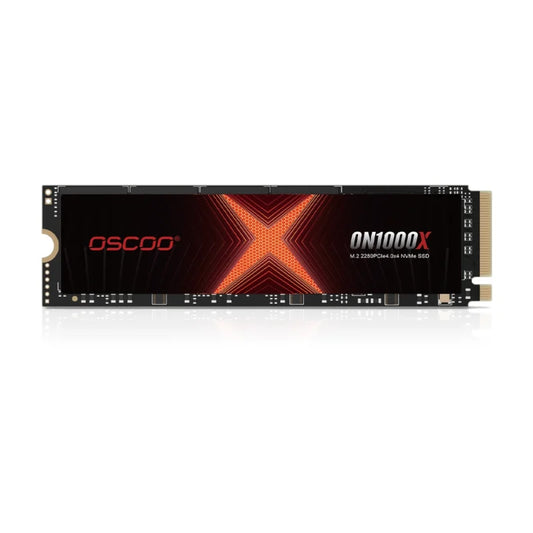
I've been using the OSCOO ON1000X 512GB for about 2 months. So far, the SSD performs well. Windows boots quickly, games load fast, and I haven't experienced any crashes or data corruption. Temperatures are also normal. The only thing I noticed is that the health dropped to 98% after around 7.3 TB of writes, which seems a bit faster than I expected. However, SMART shows 0 media/data integrity errors, 0 critical warnings, so the drive is still working perfectly. Overall, it's a good budget NVMe SSD with solid performance. I'll continue monitoring its long-term durability.

It arrived in Portugal in less than a week. The SSD is NVMe Gen4 and has very fast speeds! Read: 7400MB/s Write: 6400MB/s (Tested using CrystalDiskMark with Windows 11 PRO installed inside the drive) It helps me a lot with video editing and gaming! I recommend it!

This PCIe NVMe SSD comes in a 256 GB size and comes with screw drivers to help connect it. it installed well in our test machine and was able to support very fast file transfers. It worked well in our testing and we could recommend it. Overall I believe it is of good value for the cost. As always I will evaluate long term and update with any new information

Easy replacement for my failing HD on my Mac Air 2017. Just popped it in and used the mac's built-in recovery software to download the latest compatible OS from Apple. I had already backed up personal data to an external drive. Saved a bunch over what was quoted to me by the "geniuses".

Quick & easy setup, faster than advertized!

It has been working great the speed has been extremely good!!!

Present on different laptops daily. Some USB-C, some USB-A. This handles both. File transfers that used to take minutes now take seconds. Lives on my keychain.

Speed tested around 1,050 MB/s read. Use it as a scratch drive for DaVinci Resolve. Gets warm after 30 min of sustained writing but never throttled. Would love a black color option.

Same specs with Transcend, same speed class, less than half the price. Three months in, probably 4-5TB transferred total. Zero problems. Bought a second one as backup.

IT consultant here. USB-C for my laptop, USB-A for office desktops — one drive handles both. 15GB system image transferred in under 20 seconds. Build feels solid, not cheap plastic.

45-minute continuous 4K ProRes shoot, recorded directly to the drive. Just plug in and it works. Saved me from constantly deleting footage off my phone.

Ran CrystalDiskMark side by side with my Samsung T7, basically identical speeds. Half the price. No cable needed. Three weeks in, zero issues.

I purchased this OSCOO 1TB NVMe SSD because my original drive failed, and my MacBook wouldn’t boot up — it was completely dead in the water. I figured I’d give this replacement a shot and also get an upgrade in storage and speed, and I’m so glad I did. PRO TIP: READ THE USER MANUAL! I almost returned the SSD because my MacBook didn’t recognize it at first. The manual’s instructions in Step 3 are PERFECT — you must follow every step. I initially missed the part in Disk Utility to show all devices, and you must select the SSD and erase it. Once I did that exactly as the manual outlined, my MacBook booted up perfectly, and now it feels like new — super fast and responsive. What I love about this SSD: Spacious 1TB storage — plenty of room for photos, videos, apps, and projects. Fast performance — PCIe Gen3.0 x4 offers smooth file transfers and app launches. Solid build quality — feels reliable and well-made, supporting TRIM and SMART for long-term durability. Bottom line: This SSD saved my MacBook and gave it a brand-new lease on life. Follow the manual carefully, and you’ll get a fast, spacious, and dependable upgrade that’s well worth it.

Blazing fast and easy to install

Best quality. Best price.

INSTALLED IN NEW BUILD. LOVE IT.

Fast real world(4K) performance. Also the 1300TBW is great. CONS: Not a Gen 5 drive as a result the sequential read/writes are not the best. I recommend it.

The OSCOO magnetic SSD is a well-made external storage device for smart phones. With growing video and photo file sizes due to increased pixel count, this is an easy and cost-effective way to add storage capacity on the phone, and also simplifies data transfer to the computer. 🔘 - Its low profile makes it easy to carry along, it doesn't weigh much and the metal casing gives good protection to the device 🔘 - Setting it up is easy with plug and play using the dedicated data transfer cable (although any USB-C cable will do) 🔘 - I use Google File (so no 3rd party app required) to transfer photos and videos to the SSD, the transfer rate is quick and very stable at approximately 10-15 GB per minute 🔘 - It runs fine without connecting to an external power source, but it's there if you use it for a long time (it uses the phone's battery when the external power is not connected) 🔘 - It can be set up as a direct storage device (photos and videos saved directly onto it) I think this is a must have if you take a lot of 4K (and above) videos and Raw/Pro-res photos on your phone. It instantly adds storage and makes file management much easier on the phone.

This is a neat alternative to USB flash drive sticks for on-the-go storage. The main benefit here is the magnetic attachment design to allow you to access or copy data without a flash drive sticking from the base of your phone or tablet. The storage capacity is 128GB, which is fairly large for storing photos, videos, and other media you want to travel with or take off your phone while traveling. I like that you don’t need an app to use it. It’s compatible with my android phone and macbook. I can’t say as of yet whether it’s shock proof as I haven’t dropped it.

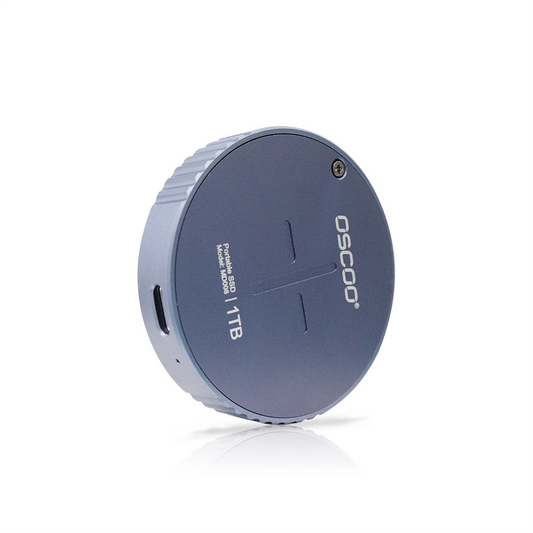
It's as simple as plugging in and using it straight away with no hiccups. I was able to transfer files from my phone into the SSD seamlessly and quickly. It has a magnetic back which allows it to stick to the back of your phone if you have magsafe. I haven't used the charger function, but I can imagine a scenario where you have a big file to transfer and you need to keep your phone charged. Portability is nice because its like a very tiny puck and it'll fit easily in pockets/bags. The only thing I don't like is the length of the usb-c cable. It could be a tad bit longer but you could also just use your own usb-c cable if you're plugging it into another device other than your phone. Price to storage ratio is average. I'd say its worth it because of the versatility in this product. I don't know why the product description mentions Hard disk RPM when this is an SSD and has no moving parts. I can confirm this is an SSD

128gb magnetic puck ssd for IPhone or other devices. This is reviewing the 128gb version. I do not know if read/write performance of the larger 512,1 or 2tb versions would be similar. iPhone usage- magnet sticks it to the back of the phone, and a tailored USB cable allows it to plug into the phone USB-C port. It shows in “files” and you can copy or paste to and from it. It is quick, quicker than a typical USB stick. For moving pictures or videos it is superior in performance to any USB stick I’ve encountered. It is not going to be a scratch drive or anything similar for a laptop or desktop without some limitations. In benchmarking (see picture) I could overwhelm the controller and crash the drive with read/write chunks larger than ~3mb. The firmware would recover and remount the drive, but with multiple attempts it did finally need to be unplugged and replugged to mount. Sustained read/writes would overwhelm the controller as well. The best I could get with a stable test was ~193MB/s write and 155MB/s read. Not in NVMe or even SATA territory. Conclusion- for an iPhone workflow it far outperforms typical USB sticks, and kept to that use, is quite handy and capable. But don’t expect it to perform like an NVMe drive.

This is a neat take on a portable SSD, specifically designed to magnetically attach to the back of your phone (MagSafe and similar). It is a little thicker than I expected, and looks a little like a magnetic charging pad. Included is a short USB-C cable with a 90-degree turn on one end so you can plug into the bottom of your phone and connect the SSD. There is another USB port on the side of the drive so you can do pass-through USB-C charging. I plugged this into my iPhone and was easily able to access the drive in my Files app and copy files to and from my phone to the drive. This will be handy for sharing items between devices and I can also see a scenario where I could keep this drive in my vacation bag in case my phone runs out of space and I need a quick way to safely offload media files to gain back more room. A useful and well priced addition to your mobile electronic toolbag.

I’ve been using this OSCOO external SSD to transfer files between devices, and it works well. Performance surpasses a standard USB drive because it’s an SSD. I'm assuming it should also last longer. My Pixel 9 recognized it immediately, and I moved large files quickly. The read and write speeds match the product listing, and I ran a benchmark test to confirm. You can see the results in the photos I shared. The extra USB-C port allows charging the phone while reading or writing files. It comes in handy when the battery is low. The strong magnet on the back lets it attach to my phone's back cover with a Magsafe-style attachment, keeping it stable during use. I think it should also attach to an iPhone natively. What helps it stay in place as well is the included cable, which has one end angled at 90 degrees. I tested it on a gaming console, smart TV, and laptop. Connecting was simple across all devices. The compact design fits easily in a bag, and it has a solid build. At this price, it serves as a practical tool for moving files, backing up media, or running content directly from the drive, depending on the device that it's attached to. Overall, this SSD combines speed, convenience, and versatility for phones, computers, and other devices. At this price range, it's a recommended purchase.

Works great. It's a good deal.

Great compact little SSD for on-the-go. It came with 119GB of space available for a 128GB capacity. The magnetic backing that was intended for Magsafe or Qi2 devices is also quite useful for sticking on your metal PC case while hooked up to your computer. In the tests that I did, the OSCOO performed as expected while connected via USB-A @3.0/3.2G1 speeds, as it did while connected via USB-C @3.2G2 speeds. The speed tests can be found respectively. Interestingly, I found the write speeds much faster than the reads. It also excelled through H2testw like a champ, which speaks for the authenticity of the NAND flash used in the SSD. However, while the price for the 128GB one was quite fair (now not available), the prices for the 1TB and 2TB are quite expensive imo. And this is just an SSD + enclosure, with no fancy perks like biometric locks or water resistance. You could buy a 2242 or 2230 sized SSD and its enclosure (there are magsafe options), and it'd likely run you less for the money. Or it could run you slightly more if you opt for a name brand SSD, which is arguably more appealing. Overall though, so far it's looking to be a decent portable SSD, quality-wise. They apparently offer three years of warranty which is quite generous.

I really like this little external SSD. The description states it's meant for placing behind a phone magnetically and connected to the USB C port for file transfers and video recording. It does magnetically connect to my iphone 13, even through the case. Unfortunately, I wasn't able to get it to work via the lightning port with an adaptor. I think this may only work with phones that already have an actual USB C connector. The cable it does come with is short but has a bend in it to connect to a phone around the phone's edge. Clever and should work well. In any case, for my purposes I wanted a small external SSD for my computer. It seems to work well for this. It connects just fine with a normal USB C cable. It has an extra USB-C port to allow power pass-through for those who need it (more useful for a phone of course). There is a small blue led that turns on when connected and flashes with read/write access. I like that, but it could be annoying if connected to your phone, seeing it blink all the time. I tested write speeds with software on my mac. Definitely some interesting results. First, when I tried it with a regular USB C cable, the write and read speeds were fairly low, around 50MB/s. I switched to the included cable and the speeds went up very significantly - around the advertised 1000MB/s rate, at least initially. So the first conclusion is definitely use a high quality USB C cable that's meant for data transfer. However, after running the test for a few minutes, the write speed drastically slowed down as the drive warmed up. Even after 2-3 minutes of use, it dropped to 250MB/s or so, and the drive definitely was warm to the touch. I can't comment on the longevity of this drive, but for my purposes it's fine. I think for occasional file transfer or a non-critical backup this would work really well. I'm not sure I'd use this as my only backup. The drive itself comes as a nice puck and the magnet is actually useful in that you can just stick to to your fridge or anywhere else metallic. It's a bit heavier than expected, definitely more than simple USB memory stick, but it's an SSD which comes with the added speed and way more read/writes cycles. No complaints at all about this SSD, just be aware of the speeds with ongoing heavy use.

Decent external M.2 drive for a phone It seems like a really good idea, and it does work. While this seems to be targeted to iPhone users, it works fine with any device that uses a USB-C connection for data transfer. There are a lot of options for USB thumb drives in the 129 GB territory, but none that are specifically designed for use on a phone. ► Coming off at an angle near the opposite side of the data USB port is a PD charging port. I appreciate the idea that I could charge my phone while using this, but the placement is awful. When the power cord is connected, it comes off at an angle upwards that no matter how I hold the phone, it gets in the way. Better placement would have been at the bottom, to one side. The design is very much for iPhone use. The cable with 90 90-degree male connector on one end allows it to sit against the MagSafe section of the phone and not stress the cable plugged in at the bottom. When used with a case made for Android phones that have a MagSafe ring, it works, but the case causes the cable to bend out more and stress the connection at the MagSafe end. Obviously, real-life speeds will vary depending on the capabilities of the device it's connected to; however, I found that it's slower on write speeds than most SSDs. While connected to a USB-C 3.2 second-gen port via Thunderbolt 4 cable, the best write speed I could get was +/- 740 MB/s, whereas other M.2 drives in various enclosures easily hit well over 950 MB/s. ♦ So, overall great for use on phones and pretty good for use with PCs or laptops. 🚩 Unlike one reviewer here who experienced dropouts when writing large files, I had no issues. When transferring large files, primarily writing to the device, it has the possibility to get very warm if there is a lot of reading and writing. As you can see from my picture, the M.2 drive inside has no thermal connection to the case lid, so when it's running, it creates a little oven inside the case. With extended use, it can get very warm. Being able to sink heat if the M.2 was connected to the case via a thermal pad would make a big difference. I have to guess the company doesn't expect this to undergo a lot of work on a regular basis since it's aimed at phone use. Overall, for $26.98 (cost when I ordered it), this is an ok deal for a 128 GB external drive.

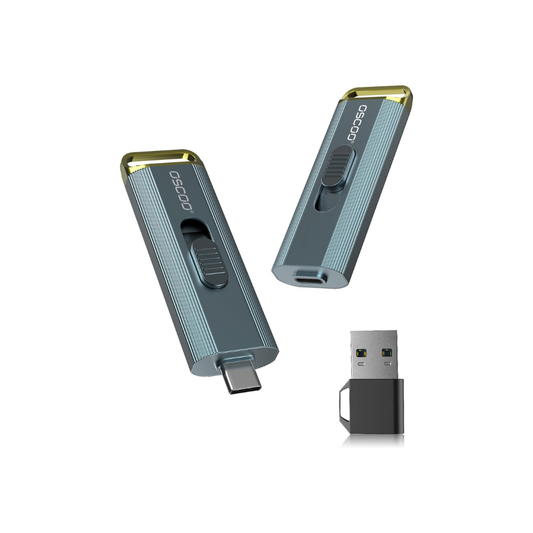
This is a small drive, slighter bigger than your standard USB flash but smaller than your most external NVME drives. It benchmarks at 1840 MB/s read, and 362 MB/s write, much faster than a normal flash drive, and read speeds much faster than SATA. A nice metal case with a USB-C end and adapter, and a loop for a lanyard. The locking mechanism is very solid, I’ve had drives in the past the would close when trying to plug them in. It comes up as using a smi SM2320XT chipset. Overall I’m very happy with it.

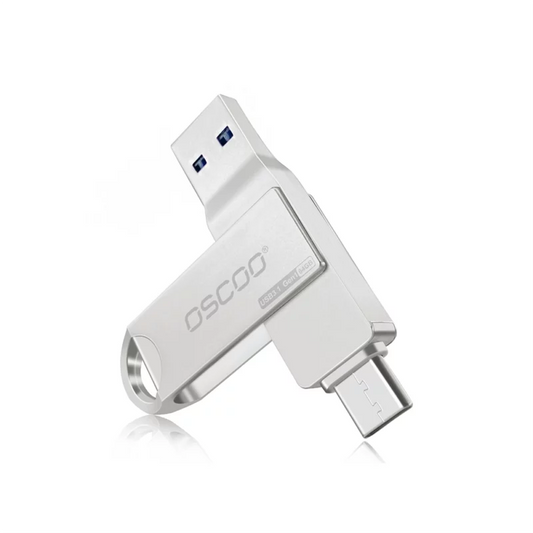
This is durable USB Drive. I like that it is made of metal vs plastic. It also has both USB A and USB C connectors that retract to protect them. The design of the slide allows you to use the connector you need or to retract both. The drive was recognized easily by both MacOS and Win 11. It had fast access as well. I recommend this drive for home or work. Likes - Well made, milled metal - Easy to use - Both USB A and USB C connectors Dislikes/Improvements - None

True to the advertising speeds. Has both USB-A and USB-C interfaces. The slider lets you pick one or the other, or it can hide both of them from any damage that can occur in your pocket. The case is metal and I did not notice any heat problems. Transfer rate is very good, almost hitting 1000mbit/sec.

This USB thumbdrive works great. It's solidly built, with a hefty metal exterior, and I like the built-in ability to switch between USB-A and USB-C. It's a bit wider than some other USB drives, so it can be a tight squeeze on some systems. The lever to switch between USB-A and USB-C works smoothly, and it locks into place on each end. It's super handy to not have to keep track of some little adapter. Also, there's no cap to keep track of, either. There's a detent on the lever that keeps both ends retracted inside the metal body, so the vulnerable tips aren't exposed. Also, the claimed speeds are accurate. The drive claims a read speed of 1000 MB/s, and my test showed 973.10 MB/s; close enough. The claimed read speed is 600MB/s, and the drive actually exceeded this at 680.30 MB/s.